 WaveSocket
WIREGUARD & AMNEZIAWG FOR APPLE TV
WaveSocket
VPN Client for Apple TV
Your VPN connection.
Easier to manage.
Bring your VPN profiles to the big screen. Import, connect and see what’s happening, with WaveSocket.
Set up WaveSocket Available now on the App Store.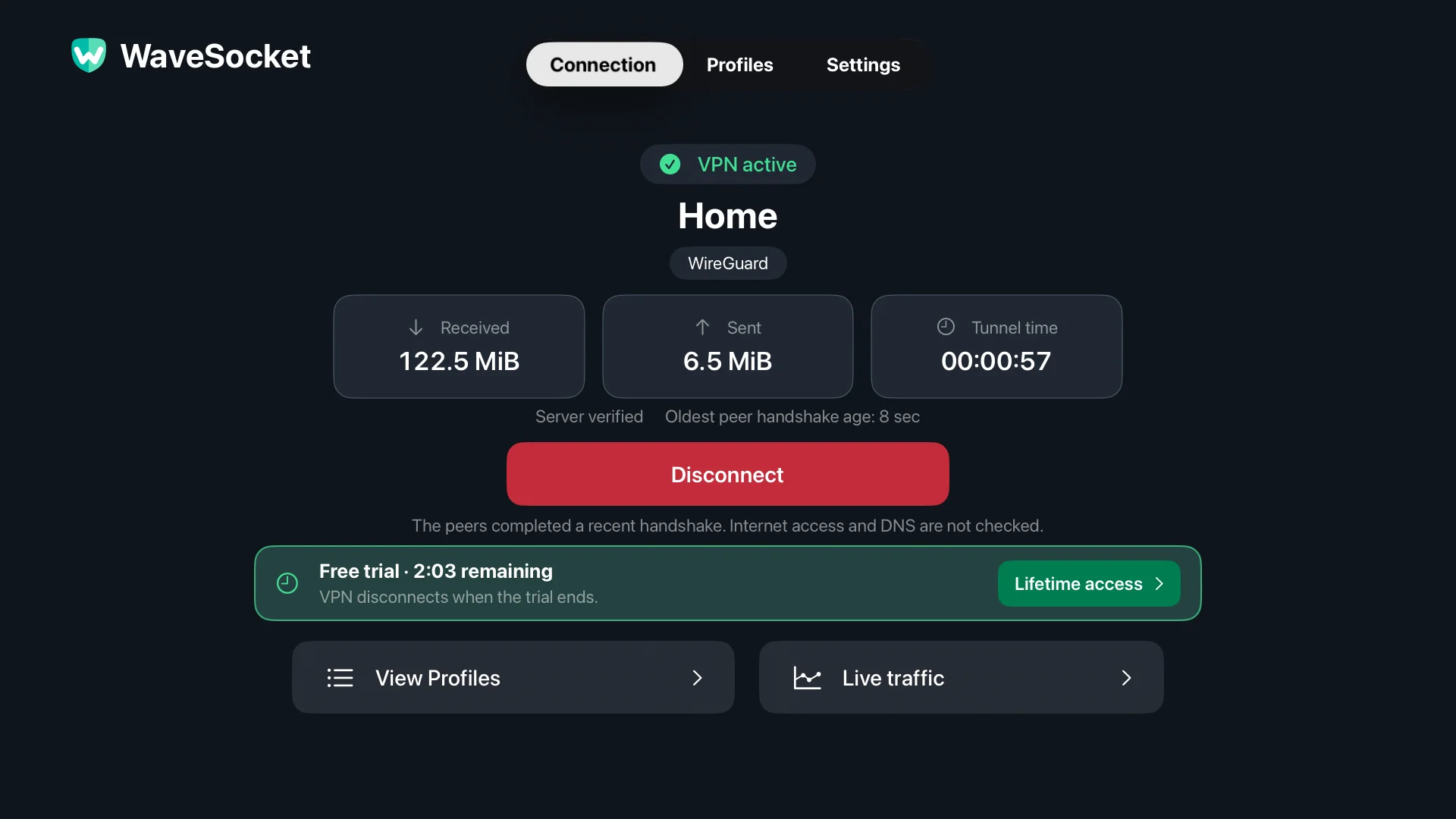
01 / LESS TYPING. MORE WATCHING.
From your phone.
Straight to your TV.
Send your configuration directly to your Apple TV over your local network.
Open local transfer.
Start local profile transfer in WaveSocket. Keep your phone or computer on the same network.
Send your profile.
Scan the TV’s QR code, enter its pairing code, then upload a file or paste configuration text.
Make the connection.
Review and save on Apple TV. Choose your profile and connect.
Prefer a link? HTTPS import and manual setup are here, too.
02 / EVERYTHING IN ITS PLACE
At home.
At work. On the go.
Keep your configurations together. Give each one a familiar name, check its details and choose the connection you need.
Get to know your profiles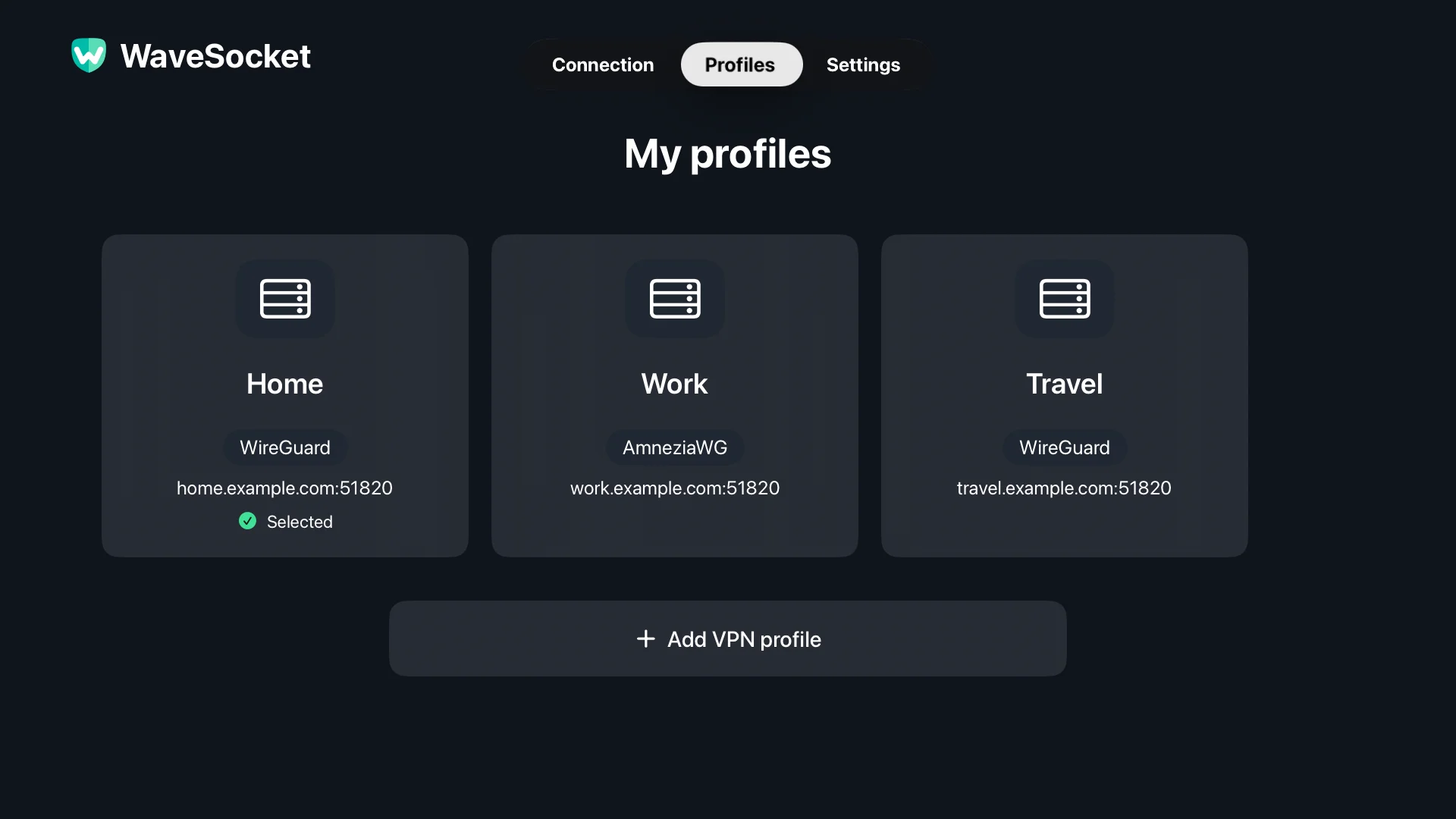
Two protocols. One profile library.
Disconnect before switching or editing a profile.03 / A CONNECTION YOU CAN READ
More than a green light.
See server verification, the latest handshake and data moving through your VPN. When something needs attention, know where to start.
Understand your connection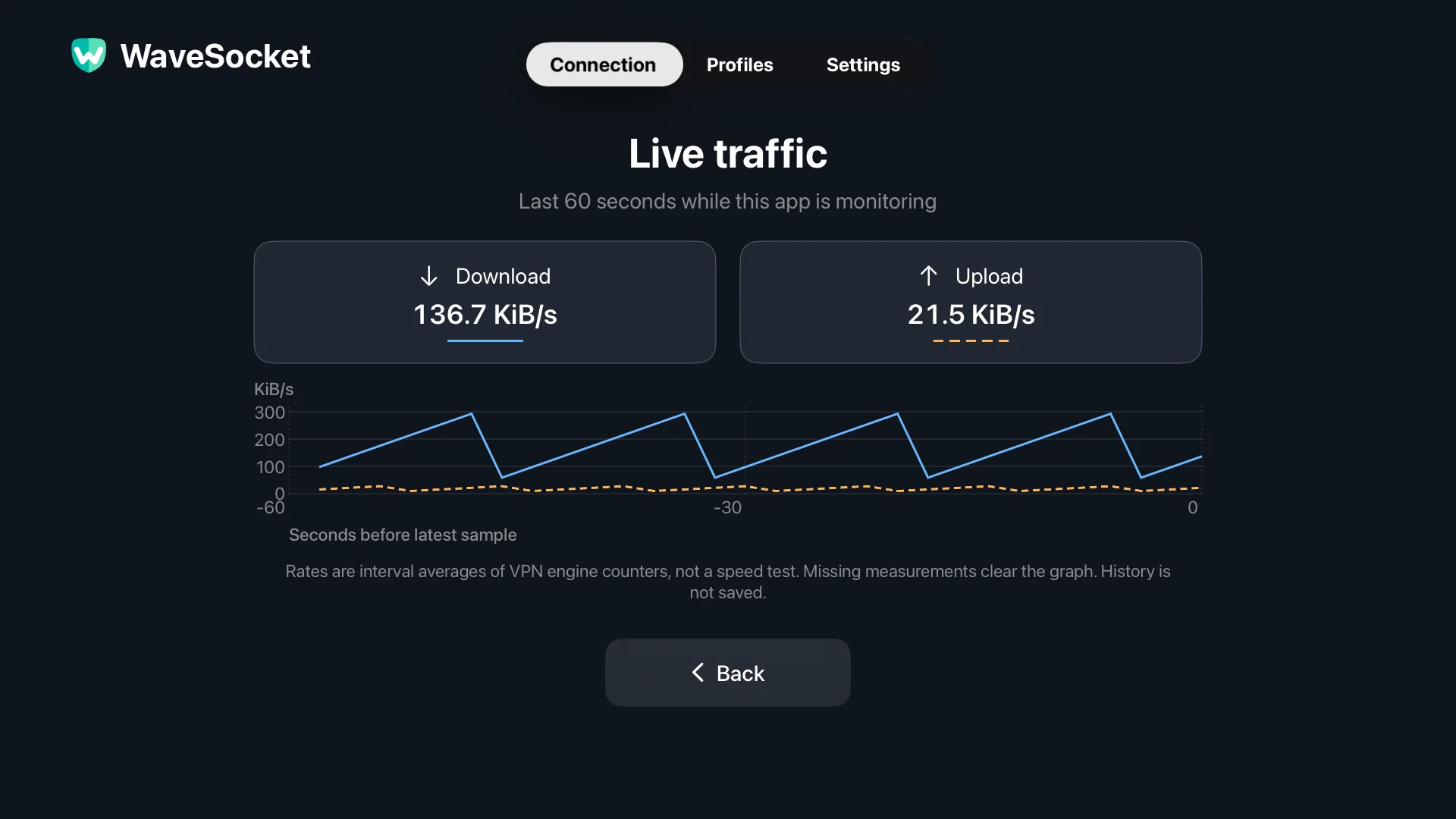
Recent activity, at a glance.
Live VPN counters. Not a speed test or saved history.04 / WHEN YOU WANT MORE CONTROL
The details.
On your terms.
Use the defaults that fit your profile, or take a closer look at your network settings.
05 / USE CASES
Your setup.
Your way in.
A profile from your provider. A server of your own. A way back to your home network.
Explore use casesYOUR VPN PROVIDER
Bring the VPN you already use.
Use a compatible configuration from your provider on Apple TV. Keep the service you chose, with a connection you control from the sofa.
YOUR OWN SERVER
Your server. Now on the big screen.
Connect Apple TV to a WireGuard or AmneziaWG server you manage. Keep the server, DNS and routing choices in your hands.
YOUR HOME NETWORK
Reach home when you’re away.
Give an Apple TV away from home a route to services on your home network, such as a media server that supports access by address.
06 / BRING YOUR OWN VPN
Your provider.
Your choice.
Bring your VPN to Apple TV with a WireGuard or compatible AmneziaWG configuration. Use a provider you choose, a router at home or a server of your own.
Check compatibilityVPN providers
Examples with WireGuard configuration downloads.
- Mullvad
- IVPN
- Proton VPN
- Surfshark
Routers & home servers
Create a client profile on your WireGuard server.
- Firewalla
- pfSense
- OPNsense
- UniFi
You’ll need a client configuration, not just an account login. See the guide for official setup links and requirements.
TRY YOUR SETUP. KEEP THE CONNECTION.
Try it with your own VPN.
Then connect without a time limit.
One purchase for unlimited connection time.
No subscription to WaveSocket.
Does WaveSocket include a VPN service?
WaveSocket is the app that connects Apple TV to your VPN. Bring a WireGuard or compatible AmneziaWG configuration from your provider or a server you manage. A server or provider subscription is not included.
How do I get my configuration onto Apple TV?
Use a browser on your phone or computer to send a file or paste configuration text directly to your TV. You can also download a profile from an HTTPS link or enter its details manually.
What can I try for free?
Every feature is available for three minutes per connection. The VPN disconnects when that time ends. A one-time Lifetime access purchase removes the connection time limit.
Which devices does it support?
The first WaveSocket release is for Apple TV. There is no iPhone, iPad or Mac app in this release. You can use a phone or computer browser for local profile transfer.
THE WAVESOCKET GUIDES